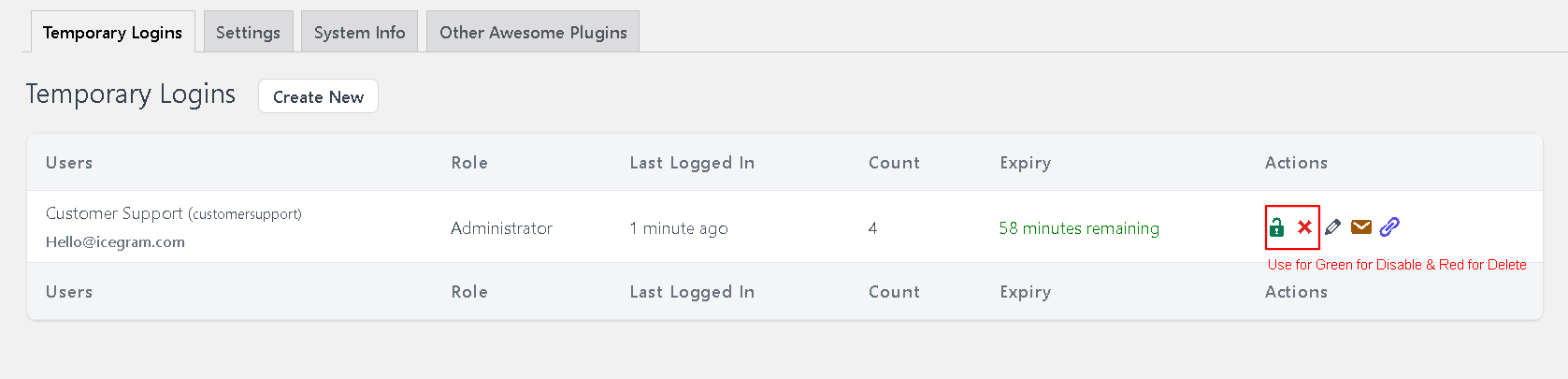
Steps to Revoke or Delete Temporary Login Links
- Navigate to
Dashboard > Users > Temporary Logins. - You will see a list of all active temporary login links, including the expiration dates.
- Clicking the green lock will revoke the login access, while clicking the ‘X’ will permanently delete the link.