How to Create a Split Testing (A/B Testing) Campaign in Icegram Engage
MaxSet up A/B split testing campaigns in Icegram Engage Max to test headlines, CTAs, and designs.
A/B split testing lets you compare multiple variations of a campaign to see which headline, message type, or call to action generates the highest conversion rate.
How to Set Up a Split Test
- Ensure Icegram Engage Max is installed and activated.
- In your WordPress admin, go to Icegram Engage > Campaigns and create a new campaign or edit an existing one.
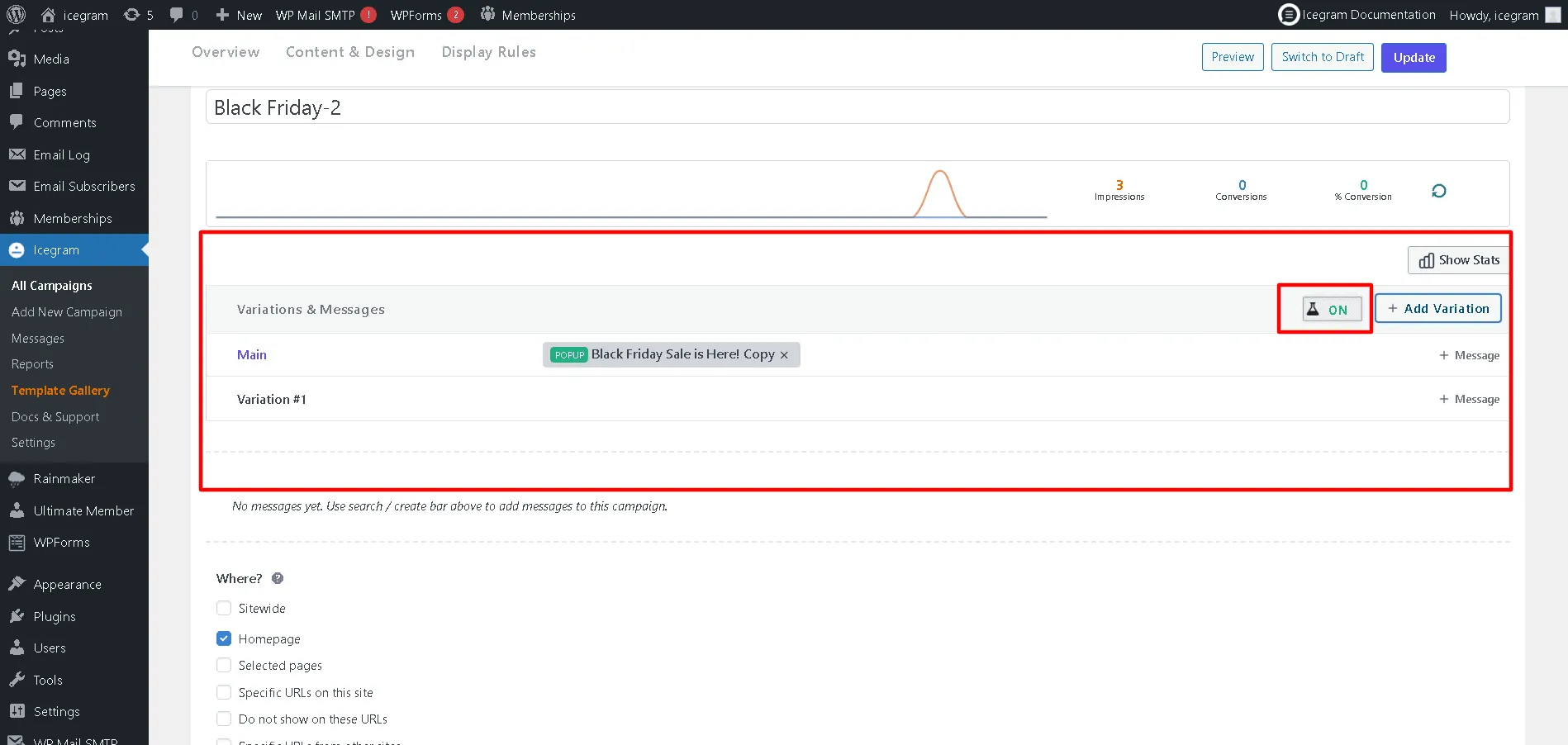
- Click Add Variation to create an alternative version of the campaign.
- Modify the specific elements you want to test in the new variation (e.g., test a different headline, button color, or message type). See metrics you can split test.
- Click Update or Publish to launch the campaign.
- Icegram Engage will automatically rotate the variations to your visitors and track impressions, clicks, and conversions until a clear winner emerges.